
Virtual office for remote teams
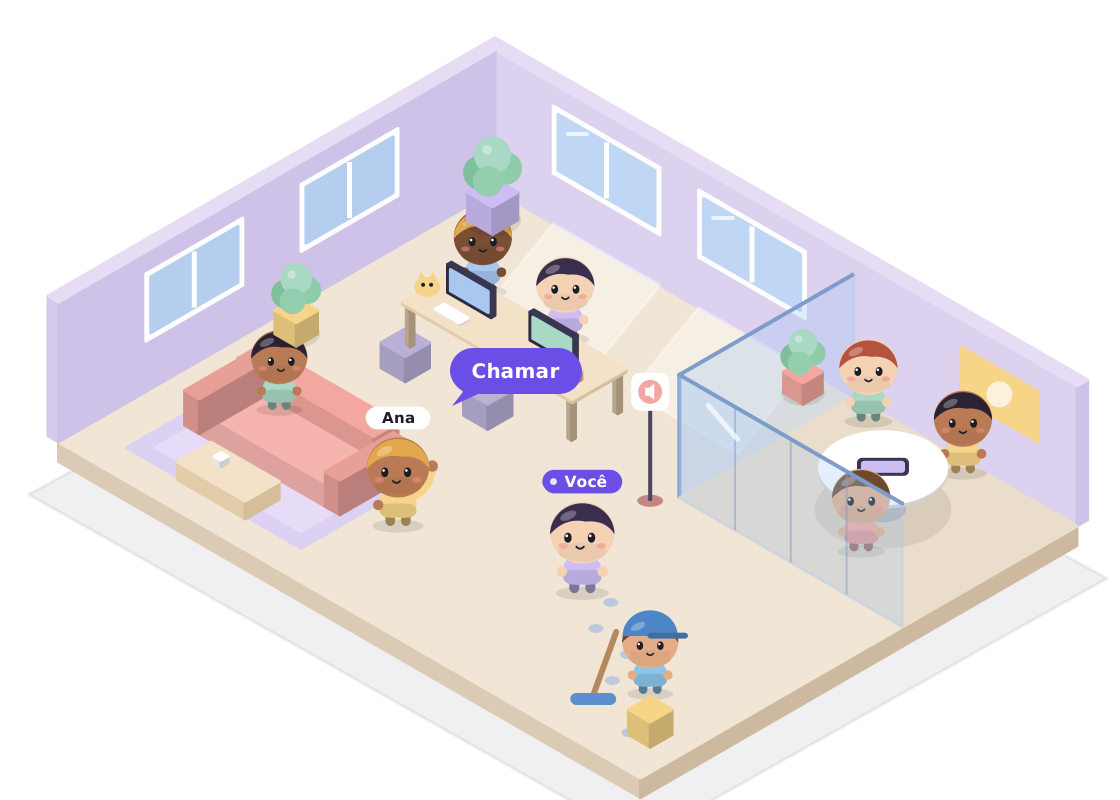
Your whole team in a 3D office that opens in the browser. You see who is at their desk, who is in a meeting and who went to the kitchen, and you can call anyone with one click.
Not a business address. Here, "virtual office" means the place where a remote team works together online. If you are looking for a mailing address or a registered business address, Mobbing does not offer that service.
What is a virtual office
It is a place on the internet that mimics a real office: everyone has a little character and a desk, and walks around the rooms. People nearby show up nearby. People in a meeting show up inside the meeting room.
The difference from a video call is that the office stays open all day. Nobody has to schedule a meeting to ask a quick question: you look at who is free and call them, like you would by turning your chair.
Why remote teams use it
- Know who is nearby. A chat status does not show whether someone is in a meeting or free right now. The office does.
- Fewer scheduled meetings. A two-minute question becomes a two-minute conversation, not a calendar invite for tomorrow.
- Hallway chats are back. You can bring more people into a room, share your screen and sort it out on the spot.
- The team feels like a team. Seeing everyone in the same place, even from their own homes, changes the mood of the day.
How it works in Mobbing
Opens in the browser, nothing to install. You send the link, the person joins and arrives already walking around the office.
Calling is always your click. Walking past someone in the hallway does not put you on a call. Click a name to talk to someone, or the room sign to bring the group together.
Voice, chat and screen sharing on every plan. Talking with your webcam on starts with the Start plan, and call recording and transcription start with Pro.
Chat connected to Discord. If your team already uses a Discord server, its channels show up mirrored inside the office. Without Discord, chat works just the same.
Make the office your own. You draw the floor plan (walls, doors and windows) and pick the furniture. On paid plans, the sky and rain follow the weather in the office's city.
How much it costs
Free for up to 3 people. Paid plans from $29 to $119 a month for the whole office, up to 20 people.
Pricing is per office, not per person. Billed monthly in US dollars by card, no annual plan.
Your office open today
-
Create your account
Sign up with email and password and pick your office plan.
-
Build the floor plan and furniture
Walls, doors and windows in Build mode; furniture after that. Publish when it looks the way you want.
-
Invite your team
Send a link or an email invite. Whoever accepts arrives already walking around the office.
FAQ
Coming from Gather? See how Mobbing compares.
Can Mobbing be used as a business or registered address?
No. Mobbing is a virtual office in the sense of an online workplace for a remote team. It does not offer an address, a registered business address, mail handling or a physical room.
Do I need to install anything?
No. The office opens in your computer's browser. Whoever gets the invite creates an account (or logs in) and lands right in the office.
How many people fit in the office?
Up to 3 on the Free plan, 5 on Start, 10 on Pro and 20 on Business. For more than 20 people, the Enterprise plan is available on request.
Can we talk with the camera on?
From the Start plan. Free includes voice, chat and screen sharing, without webcam.
Do I need Discord?
No. Without Discord, chat works inside the office. If your team already uses a Discord server, the admin turns on the integration and the channels show up mirrored.